The Google Sheets ARRAYFORMULA function makes one formula work on a whole column. Write it once in the top cell and every row is calculated, including rows added later.
PurposeApply one formula to a whole range
ReturnsOne result for every row (or cell) of the range
Available inGoogle Sheets (web, Android and iPhone). Excel 365 does this automatically with dynamic arrays
array_formula |
A formula that works on ranges, such as B2:B6*C2:C6. |
|---|
Basic example
=ARRAYFORMULA(B2:B6*C2:C6)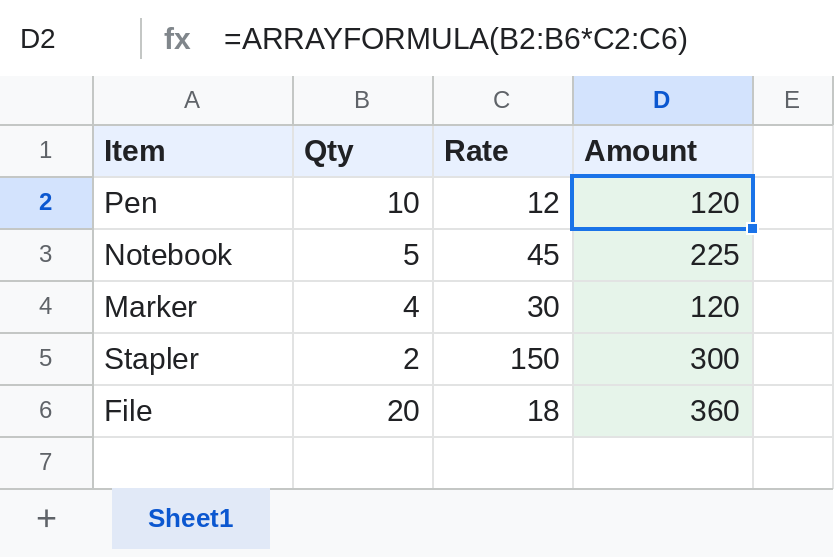
The formula is only in D2 but fills D2:D6. Shortcut: type =B2:B6*C2:C6 and press Ctrl + Shift + Enter to add ARRAYFORMULA.
Whole column with the heading
={"Amount"; ARRAYFORMULA(IF(B2:B="", "", B2:B*C2:C))}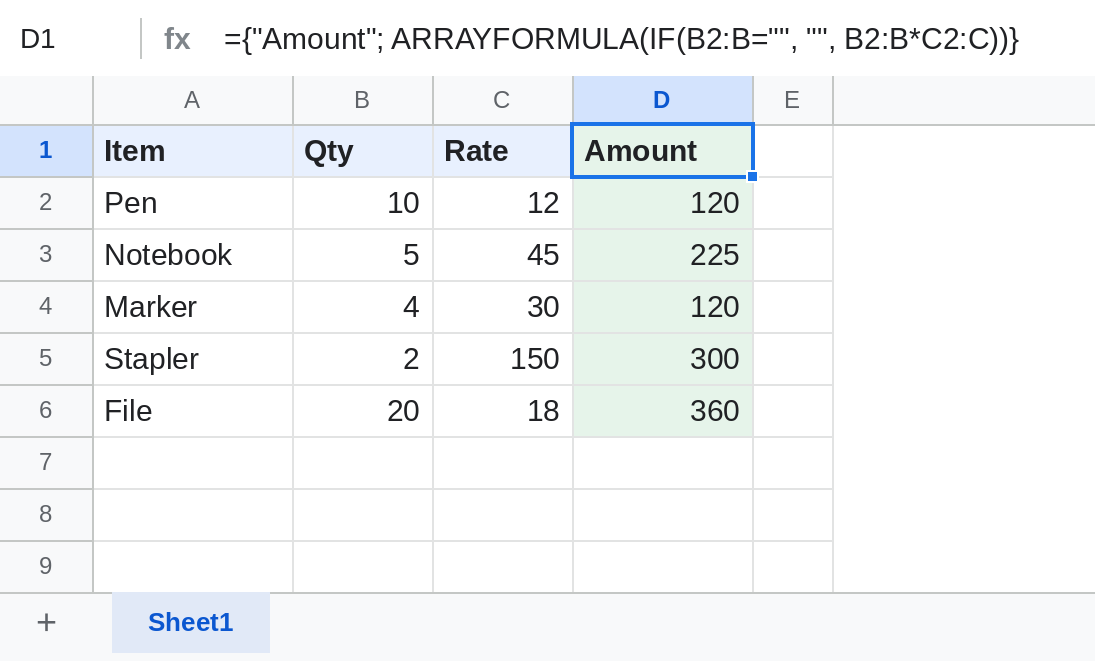
B2:Bis open-ended, so new rows calculate as soon as they're typed.IF(B2:B="", "", …)keeps empty rows blank instead of 0.{"Amount"; …}puts the heading on top, so the formula sits in the header cell, out of the way.
Join two columns
=ARRAYFORMULA(A2:A5&" "&B2:B5)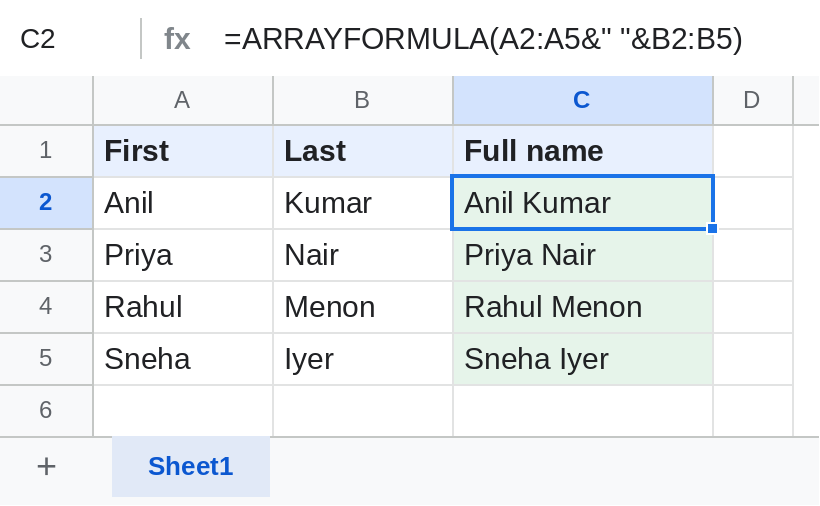
IF for every row
=ARRAYFORMULA(IF(B2:B="", "", IF(B2:B>=40, "Pass", "Fail")))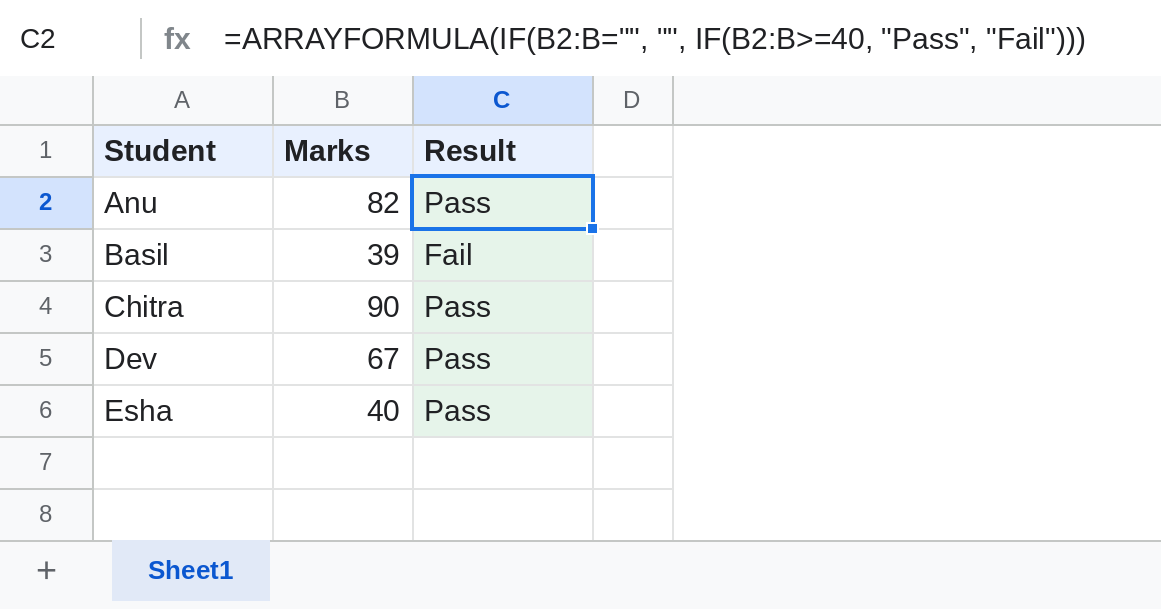
For two conditions, don't use AND inside ARRAYFORMULA (see Notes). Multiply them instead: IF((B2:B>=40)*(C2:C>=0.75), "Eligible", "").
Notes
- AND and OR don't work row by row inside ARRAYFORMULA: they return one TRUE or FALSE for the whole column. Use
*for AND and+for OR. - FILTER, SORT, UNIQUE and QUERY already return many rows and don't need ARRAYFORMULA.
- SUM inside ARRAYFORMULA returns one total, not a total per row.
Common errors
| Problem | Cause | Fix |
|---|---|---|
| #REF! Array result was not expanded | Cells in the way already have data | Clear the cells below the formula |
| 0 on every empty row | No blank check | Wrap in IF(B2:B="", "", …) |
| Same result in every row | AND or OR used inside | Use * and + instead |
| Sheet slows down | Open ranges like B2:B on very large sheets |
Limit the range, such as B2:B2000 |
Practice file
All four examples, ready to add rows and watch ARRAYFORMULA fill them. Upload to Google Drive and open with Google Sheets.