The Google Sheets SORT function returns a sorted copy of a range that re-sorts itself when the data changes. Sort by one column or several, each up or down.
PurposeSort data with a formula
ReturnsThe sorted rows
Available inGoogle Sheets (web, Android and iPhone). Excel 365 has SORT with different arguments
range |
The data to sort. |
|---|---|
sort_column |
The column to sort by: a number (3 = third column of range) or a range like C2:C9. |
is_ascending |
TRUE for A to Z / smallest first, FALSE for the reverse. |
sort_column2, is_ascending2 optional |
More sort levels, in pairs. |
Basic example
=SORT(A2:C9, 3, FALSE)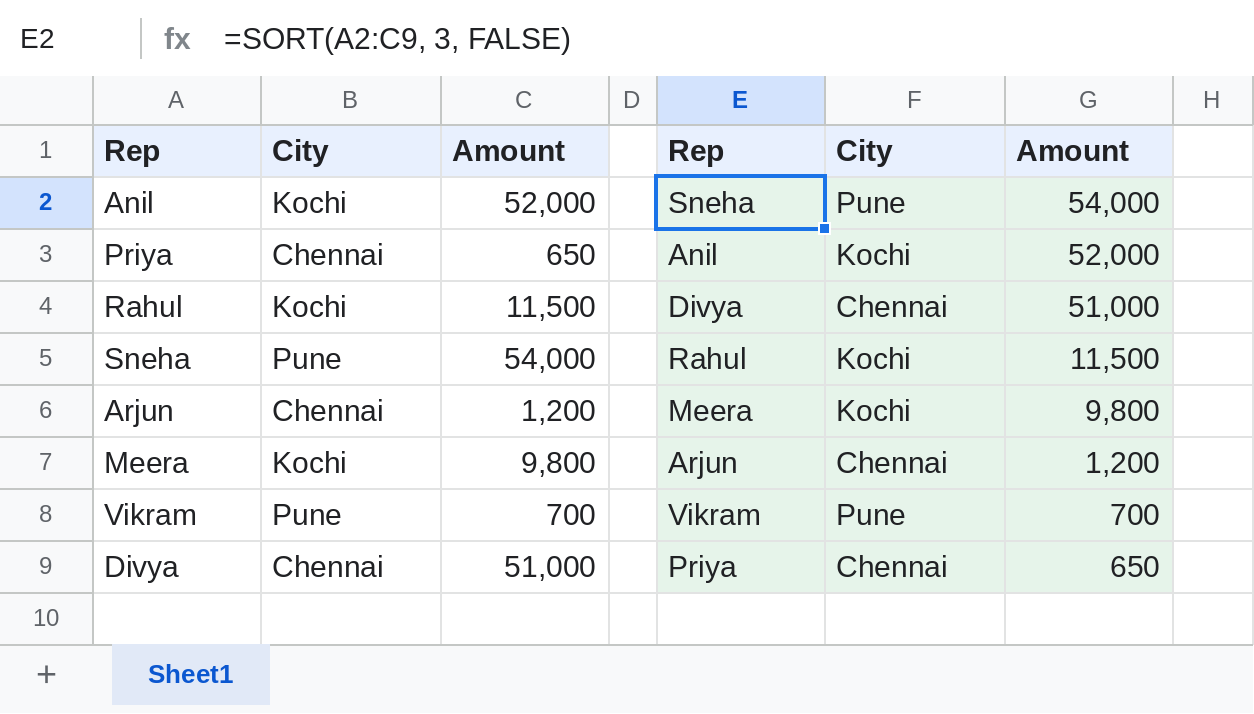
Sorted by the 3rd column, Amount, largest first.
Sort by two columns
=SORT(A2:C9, 2, TRUE, 3, FALSE)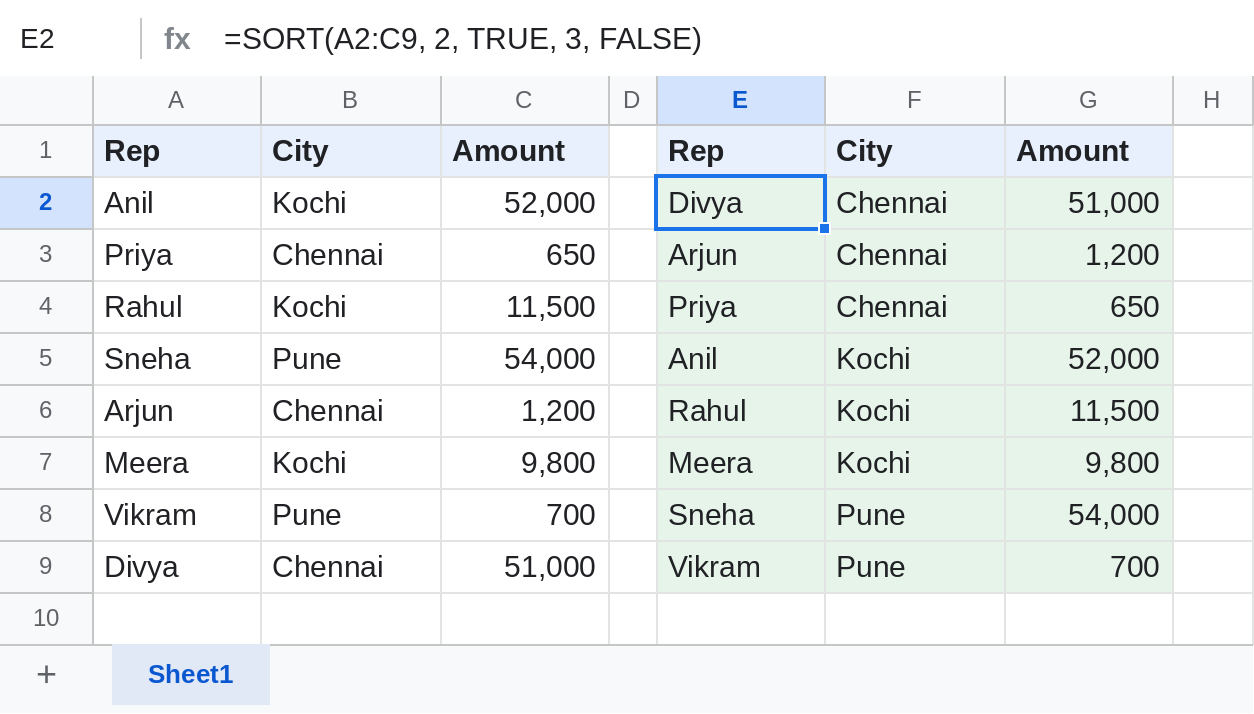
First by City A to Z, then by Amount within each city.
Sort by a column you don't return
=SORT(A2:A9, C2:C9, FALSE)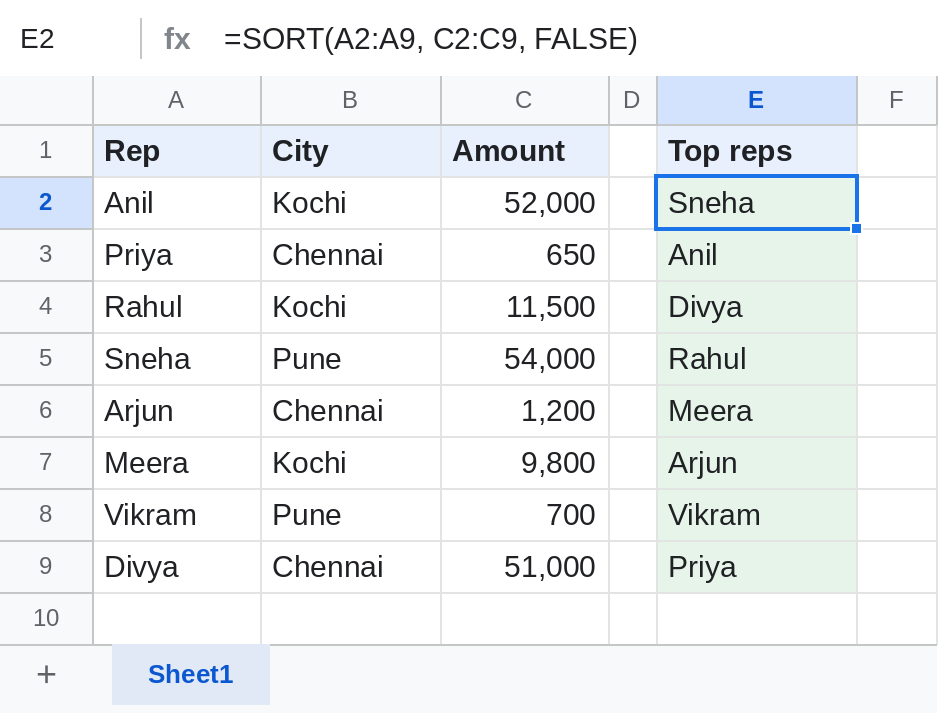
sort_column can be a separate range. Here only the names come back, in order of their sales.
Related ways to sort
| Need | Use |
|---|---|
| Reorder the actual rows | Data → Sort range → Advanced range sorting options |
| Top N rows only | =SORTN(A2:C9, 3, 0, 3, FALSE) |
| Sorted list without duplicates | =SORT(UNIQUE(A2:A9)) |
| Sort while filtering and totalling | QUERY with order by |
Notes
- SORT makes a copy; the original rows don't move.
- Excel's SORT uses
1and-1for the order; Google Sheets uses TRUE and FALSE.
Common errors
| Problem | Cause | Fix |
|---|---|---|
| #REF! | Cells in the way have data | Clear them |
| #VALUE! | sort_column is outside the range or a different height | Use a column number within range, or a range of the same height |
| Numbers sorted like text (1, 10, 2) | The numbers are stored as text | Convert them with VALUE or Format → Number |
Practice file
The sales table with all three SORT examples. Upload to Google Drive and open with Google Sheets.