The Excel RANDARRAY function returns a whole grid of random numbers with one formula. You choose the size, the range and whether you want whole numbers or decimals.
PurposeMany random numbers at once
ReturnsAn array that spills
Available inExcel 2021, 2024, 365, Excel for the web
rows optional |
How many rows. Default is 1. |
|---|---|
columns optional |
How many columns. Default is 1. |
min optional |
The smallest number. Default is 0. |
max optional |
The largest number. Default is 1. |
whole_number optional |
TRUE for whole numbers, FALSE or omitted for decimals. |
Table of Contents
Basic example
One formula fills 5 rows and 4 columns with whole numbers from 1 to 100:
=RANDARRAY(5,4,1,100,TRUE)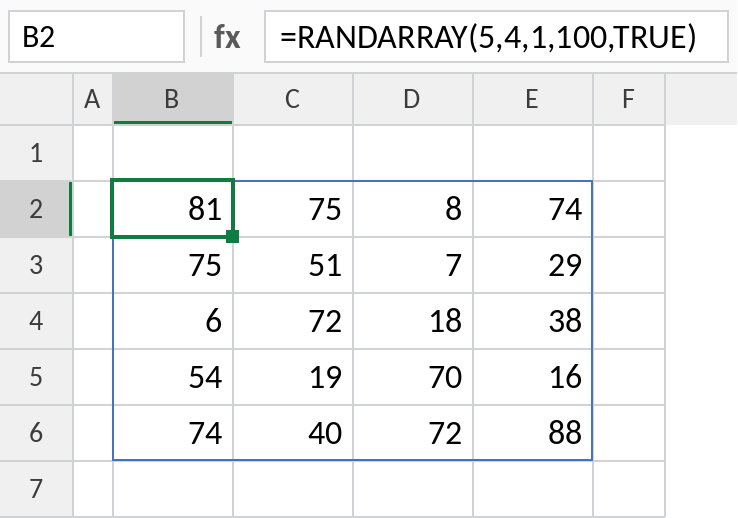
All 20 numbers come from a single formula in B2. Press F9 for a new set.
Random decimals
With just the number of rows, RANDARRAY returns decimals from 0 to 1, like RAND:
=RANDARRAY(5)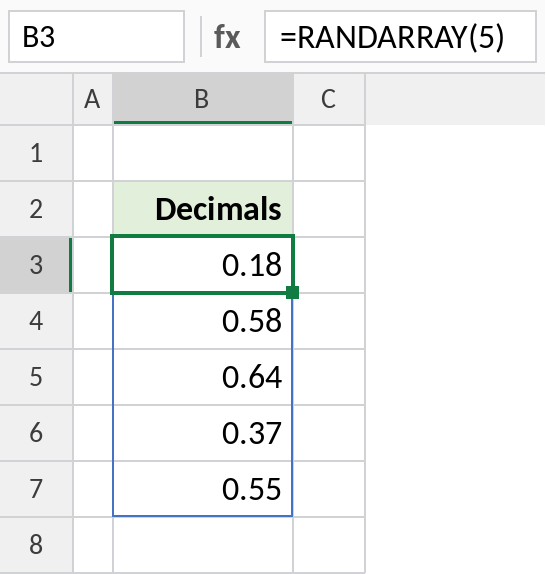
Five decimals spill down from B3.
Shuffle a list
Give each name a random number and sort by it with SORTBY. The result is a fresh random order every time:
=SORTBY(B3:B8,RANDARRAY(ROWS(B3:B8)))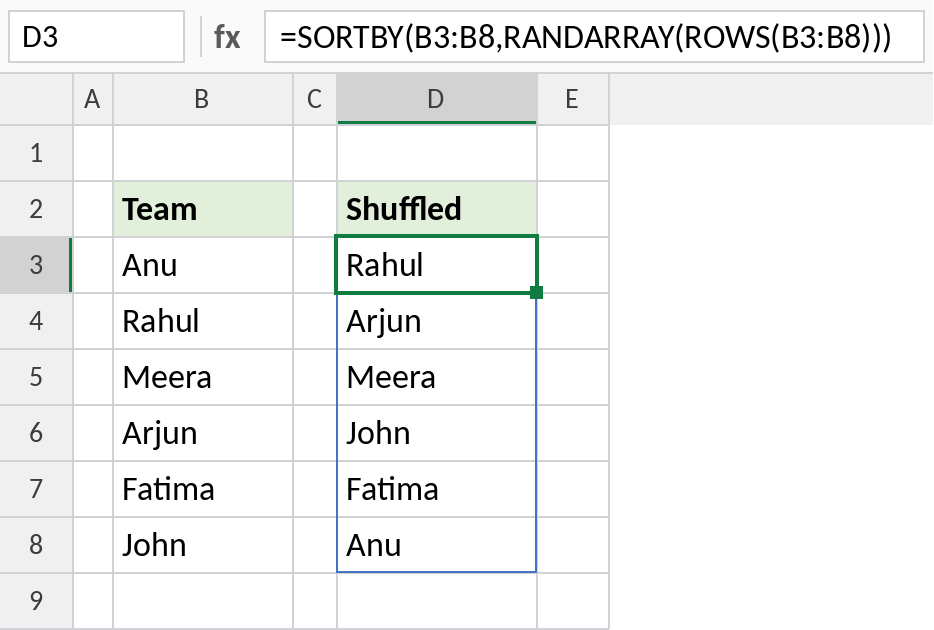
The six names come out in a random order, handy for draws, presentation order or random teams.
RANDARRAY patterns
| Formula | Returns |
|---|---|
=RANDARRAY(10,1,1,6,TRUE) |
10 dice rolls |
=RANDARRAY(1,5) |
5 decimals across a row |
=RANDARRAY(3,3,-1,1) |
Decimals from -1 to 1 |
Notes
- RANDARRAY recalculates whenever the sheet changes. Paste as values to keep the numbers.
- Numbers can repeat. For a list without repeats, shuffle a SEQUENCE:
=SORTBY(SEQUENCE(10),RANDARRAY(10)). - If min is larger than max, RANDARRAY returns
#VALUE!. - Not available in Excel 2019 or earlier. Use RAND or RANDBETWEEN there.
Common errors
| Problem | Cause | Fix |
|---|---|---|
#SPILL! |
Cells in the spill range aren’t empty | Clear them |
#VALUE! |
min larger than max | Swap them |
#NAME? |
Excel 2019 or earlier | Use RAND or RANDBETWEEN |
Practice file
All three examples (Excel 2021 or 365). Press F9 for new values.