Simple interest is earned only on the original amount: principal × rate × years. Compound interest is also earned on the interest already added, so it grows faster. Excel handles both with short formulas, or the FV function.
Simple interest
Multiply the principal, the yearly rate and the number of years:
=C2*C3*C4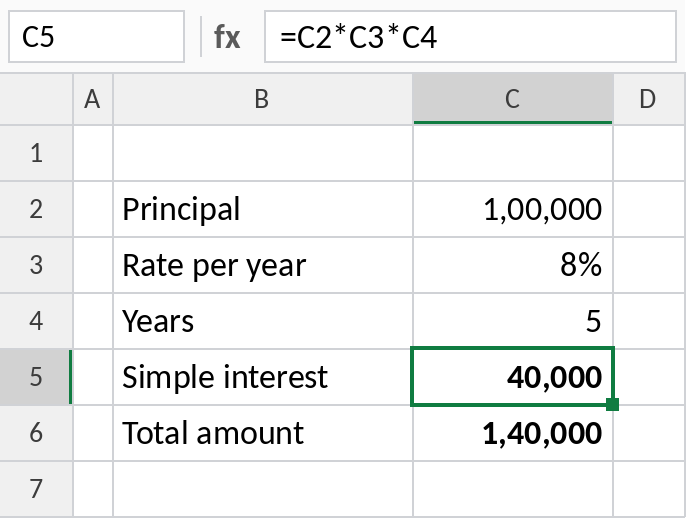
₹1,00,000 at 8% for 5 years earns ₹40,000 in simple interest, for a total of ₹1,40,000.
How the formula works
C3/C5is the rate per period: 8% / 4 = 2% a quarter.C5*C4is the number of periods: 4 × 5 = 20 quarters.(1+2%)^20is how much ₹1 grows to, and multiplying by the principal gives the final amount.
Compound interest
Divide the rate by the number of compounding periods per year, and raise to the total number of periods. Quarterly compounding, common for Indian fixed deposits, is 4:
=C2*(1+C3/C5)^(C5*C4)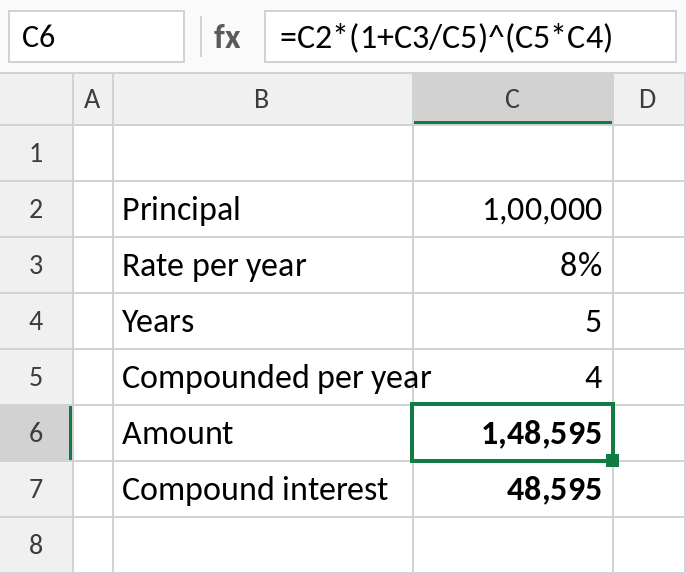
The same ₹1,00,000 grows to ₹148,595, earning ₹48,595: about ₹8,600 more than simple interest.
Compound interest with FV
FV gives the same result. The principal is negative because it’s money you pay in:
=FV(C3/C5,C5*C4,0,-C2)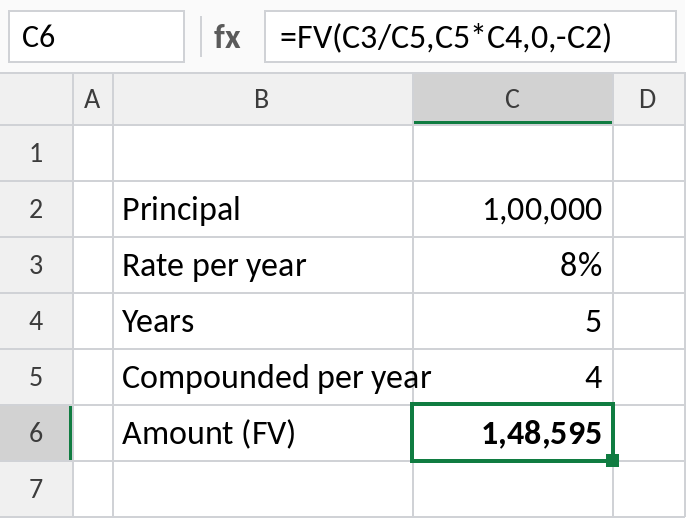
FV also handles regular deposits, such as a recurring deposit or SIP, through its third argument.
Simple vs compound interest on ₹1,00,000 at 8%
| Years | Simple | Compounded yearly | Compounded quarterly |
|---|---|---|---|
| 1 | ₹1,08,000 | ₹1,08,000 | ₹1,08,243 |
| 5 | ₹1,40,000 | ₹1,46,933 | ₹1,48,595 |
| 10 | ₹1,80,000 | ₹2,15,892 | ₹2,20,804 |
The longer the term, the bigger the gap between simple and compound interest.
Notes
- Keep rate and periods consistent: a yearly rate needs yearly periods, a quarterly rate quarterly periods.
- For monthly compounding, use 12; for daily, 365.
- To find the rate or years instead, use CAGR or the RATE and NPER functions.
Common errors
| Problem | Cause | Fix |
|---|---|---|
| Amount far too large | Rate typed as 8 instead of 8% | Type 8% or 0.08 |
| FV returns a negative number | Principal entered as positive | Enter it as -C2 |
| Result too small | Rate not divided by the periods per year | Use C3/C5 |
Practice file
All three examples plus the comparison table.