The Excel FV function calculates the future value of an investment with regular payments, a lump sum, or both, at a fixed rate of return.
rate |
The return per period. For monthly payments, divide the annual rate by 12. |
|---|---|
nper |
The total number of periods. |
pmt |
The payment each period. Enter it as negative, because it’s money you pay in. |
pv optional |
A lump sum at the start, also negative. Default is 0. |
type optional |
0 for payments at the end of each period (default), 1 for the start. |
Table of Contents
Basic example: SIP
Investing 5,000 a month for 10 years at an assumed 12% a year:
=FV(C4/12,C5*12,-C3)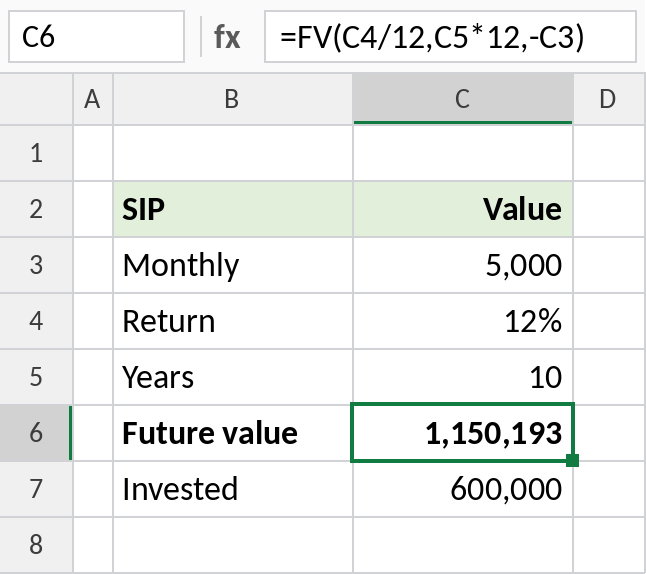
The SIP grows to about 1,150,193, from 600,000 invested. The minus sign before C3 makes the result positive.
A lump sum
For a one-time deposit, set pmt to 0 and put the amount in pv. With yearly compounding, use the yearly rate and years:
=FV(C4,C5,0,-C3)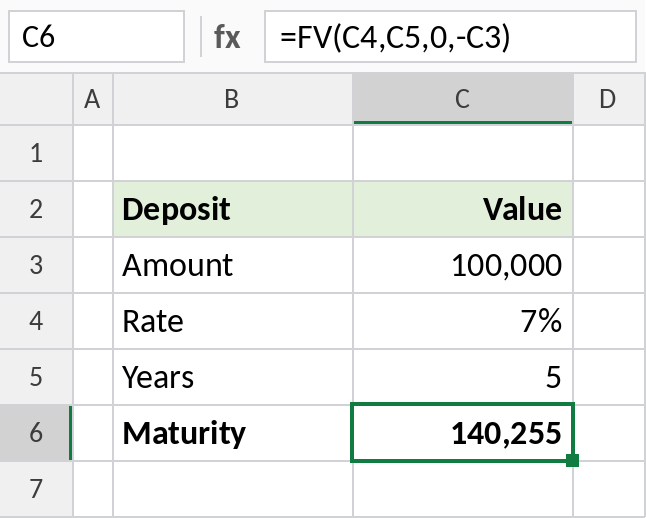
1,00,000 at 7% for 5 years grows to 140,255.
Starting amount plus monthly
Use both pmt and pv when you start with savings and keep adding to them:
=FV(C5/12,C6*12,-C4,-C3)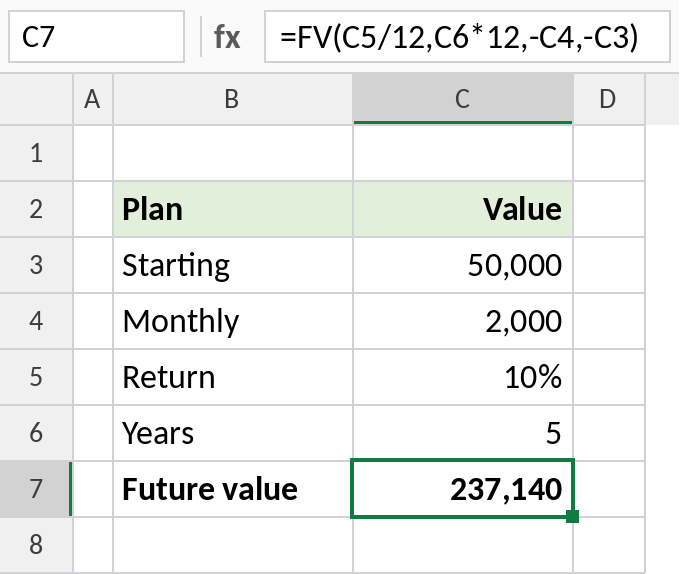
50,000 to start plus 2,000 a month at 10% grows to 237,140 in 5 years.
FV vs PMT
| You know | You want | Use |
|---|---|---|
| The monthly amount | What it grows to | FV |
| The target | The monthly amount needed | PMT with fv |
| The loan amount | The EMI | PMT |
Returns on real investments vary. FV assumes the same rate every period, so treat the result as an estimate.
Notes
- Keep
rateandnperin the same units: monthly rate with months. - Enter payments and deposits as negative numbers to get a positive future value.
- Set
typeto 1 if you invest at the start of each month. The result is slightly higher. - FV doesn’t account for tax or inflation.
Common errors
| Problem | Cause | Fix |
|---|---|---|
| Result is negative | Payment entered as positive | Use -C3 |
| Result far too high | Annual rate used with monthly periods | Divide the rate by 12 |
#VALUE! |
A text value | Check the inputs are numbers |
Practice file
All three examples plus the payment-timing check in a cheat sheet.