The Excel POWER function raises a number to a power: =POWER(2,3) is 2 × 2 × 2 = 8. It does the same as the ^ operator.
PurposeRaise a number to a power
ReturnsA number
Available inAll Excel versions, Excel for the web, Google Sheets
number |
The base number. |
|---|---|
power |
The exponent. Can be negative or a fraction. |
Table of Contents
Basic example
Give the number and the power:
=POWER(B3,C3)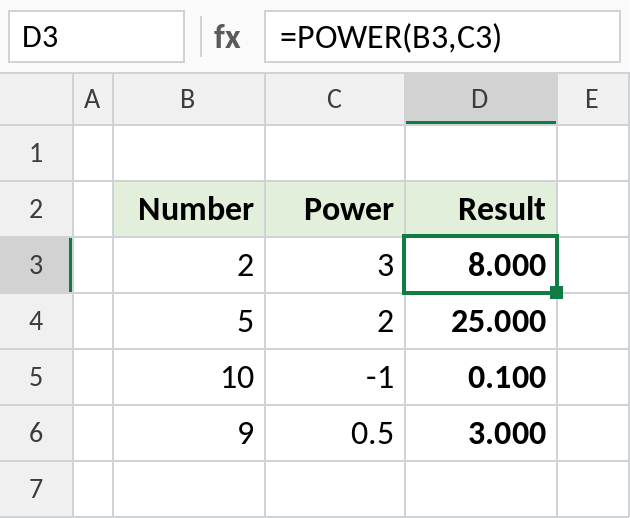
2 to the power 3 is 8. A power of -1 gives the reciprocal, 0.1, and a power of 0.5 is the square root, 3.
Growth over several years
Growing by 2% a year for 10 years means multiplying by 1.02 ten times:
=C3*POWER(1+C4,C5)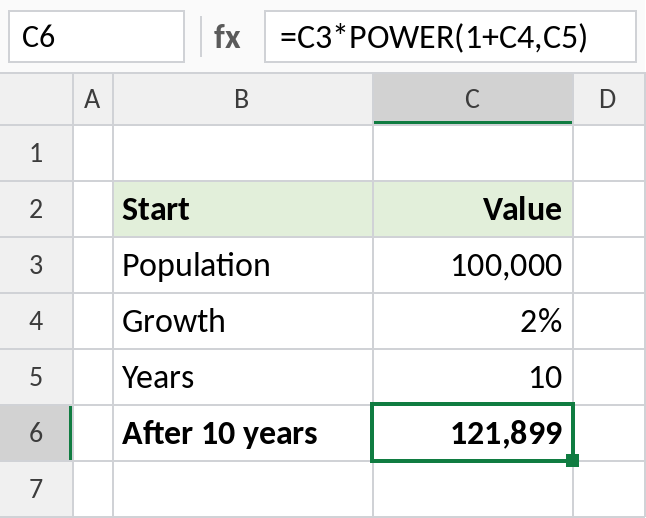
A population of 100,000 grows to about 121,899. For investments with regular payments, use FV.
Cube roots and other roots
A power of 1/3 gives the cube root. Use 1/n for any root:
=POWER(B3,1/3)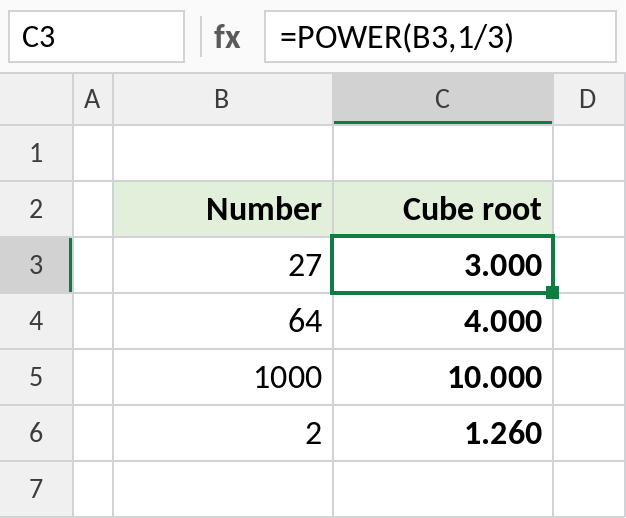
The cube root of 27 is 3, and of 1,000 is 10.
POWER vs the ^ operator
| POWER | Same with ^ | Result |
|---|---|---|
=POWER(2,10) |
=2^10 |
1,024 |
=POWER(B3,1/3) |
=B3^(1/3) |
Cube root |
=POWER(10,-2) |
=10^-2 |
0.01 |
Most people type ^. POWER is easier to read inside long formulas.
Notes
=POWER(a,b)and=a^bgive the same result.- A fractional power of a negative number, such as
POWER(-8,1/3), returns#NUM!. - Very large results return
#NUM!.
Common errors
| Problem | Cause | Fix |
|---|---|---|
#NUM! |
Fractional power of a negative number, or result too large | Check the inputs |
| Wrong result with ^ | Missing brackets, e.g. =B3^1/3 |
Write =B3^(1/3) |
Practice file
All three examples plus the comparison in a cheat sheet.