The Google Sheets IMPORTRANGE function brings data from another Google Sheets file into this one and keeps it updated. Use it to combine branch reports or keep one master list.
spreadsheet_url |
The other file's address, or just its ID (the code between /d/ and /edit), in quotes. |
|---|---|
range_string |
The sheet and range in quotes, such as "Sales!A1:D9". |
Basic example
Copy the source file's address from the browser and use it with the sheet and range:
=IMPORTRANGE("https://docs.google.com/spreadsheets/d/1AbC…xyz/edit","Sales!A1:D6")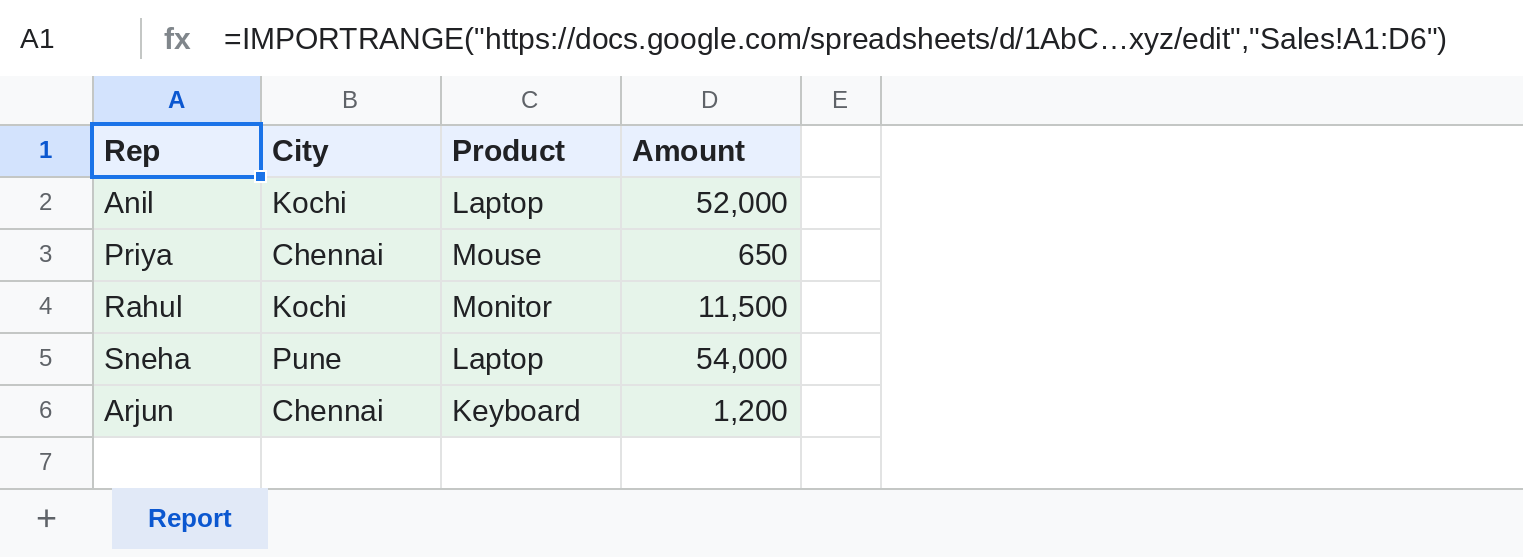
The data from the other file's Sales sheet appears here and follows any changes made there.
The #REF! Allow access message
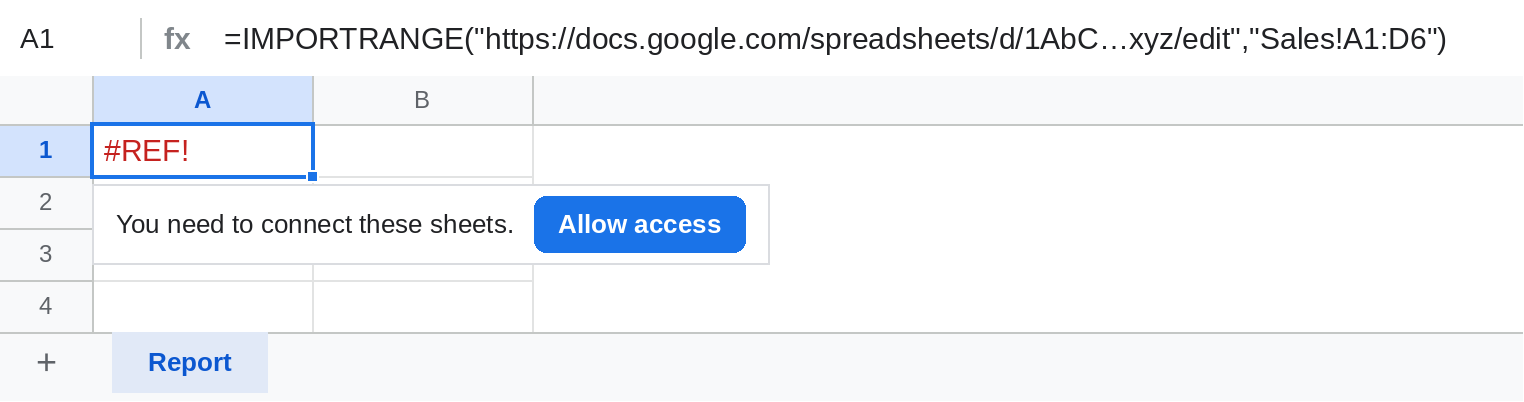
The first time you connect two files, click the cell and choose Allow access. It's asked once per pair of files, and you need at least view access to the source.
Import only what you need with QUERY
=QUERY(IMPORTRANGE("1AbC…xyz","Sales!A1:D9"),"select Col1, Col4 where Col2 = 'Kochi'",1)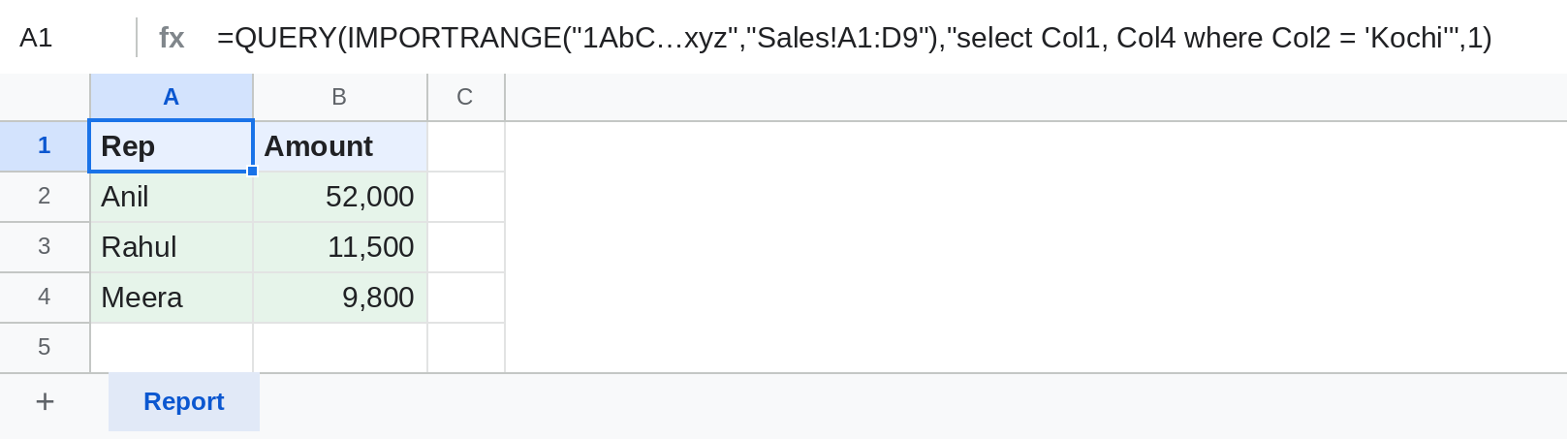
Columns from IMPORTRANGE are named Col1, Col2… inside QUERY, not A, B.
Combine several files
={IMPORTRANGE("1AbC…","Sales!A2:D100"); IMPORTRANGE("9XyZ…","Sales!A2:D100")}The semicolon stacks one range under the other. Both must have the same number of columns, and each file needs Allow access once.
Notes
- Imported data updates when the source changes, but not always instantly.
- Use whole columns like
"Sales!A:D"if the source keeps growing, and filter out blank rows with QUERYwhere Col1 is not null. - If the source sheet is renamed, update the range text: it doesn't change by itself.
Common errors
| Problem | Cause | Fix |
|---|---|---|
| #REF! You need to connect these sheets | First connection between the files | Click Allow access |
| #REF! You don't have permission | You can't open the source file | Ask the owner to share it with you |
| #REF! Unable to parse range | Wrong sheet name or range text | Check spelling; quote sheet names with spaces: "'Branch 1'!A1:D9" |
| #REF! Result too large | The range is very big | Import fewer columns or filter with QUERY |
Practice file
Instructions and a sample Sales sheet to import from. Upload it to Google Drive and open it with Google Sheets.