The Excel COUNTBLANK function counts the empty cells in a range. Cells with a formula that returns empty text "" count as blank too.
range |
The cells to check. |
|---|
Table of Contents
Basic example
To count how many orders don’t have a delivery date yet, count the empty cells in the Delivered column:
=COUNTBLANK(D3:D10)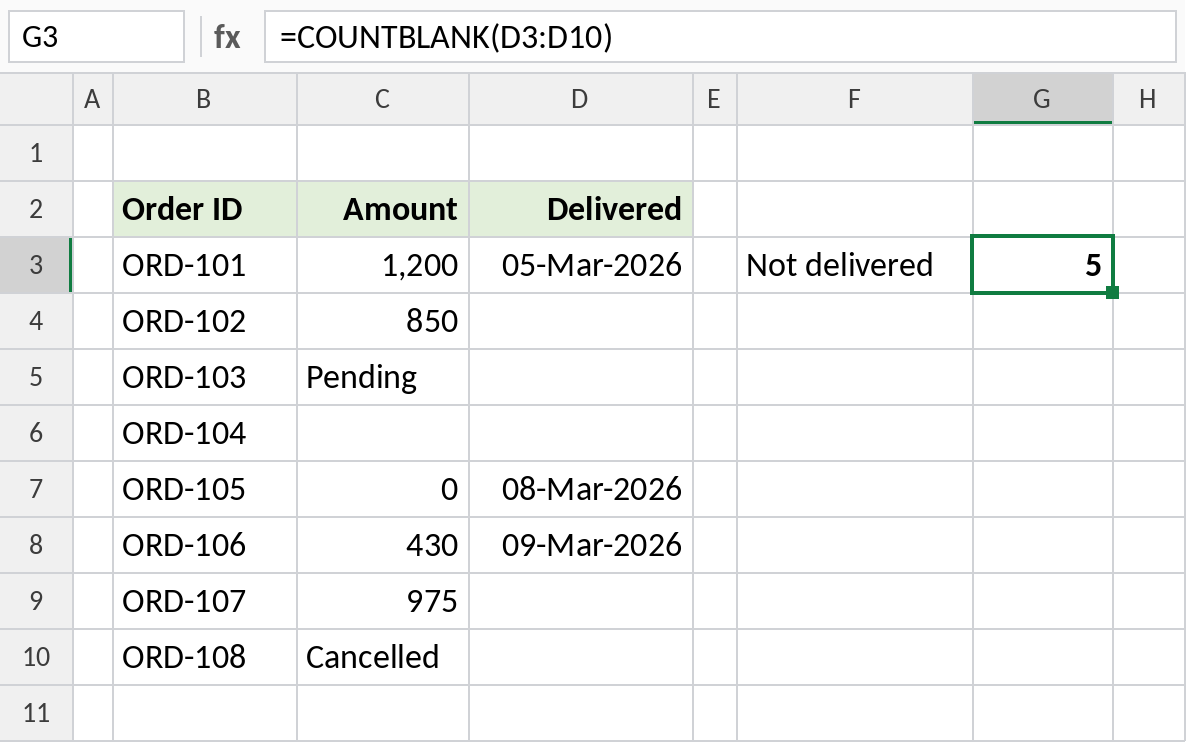
Five cells in D3:D10 are empty, so 5 orders are still waiting.
Count blanks across columns
Give COUNTBLANK a block of cells to count every gap in the data at once:
=COUNTBLANK(C3:D10)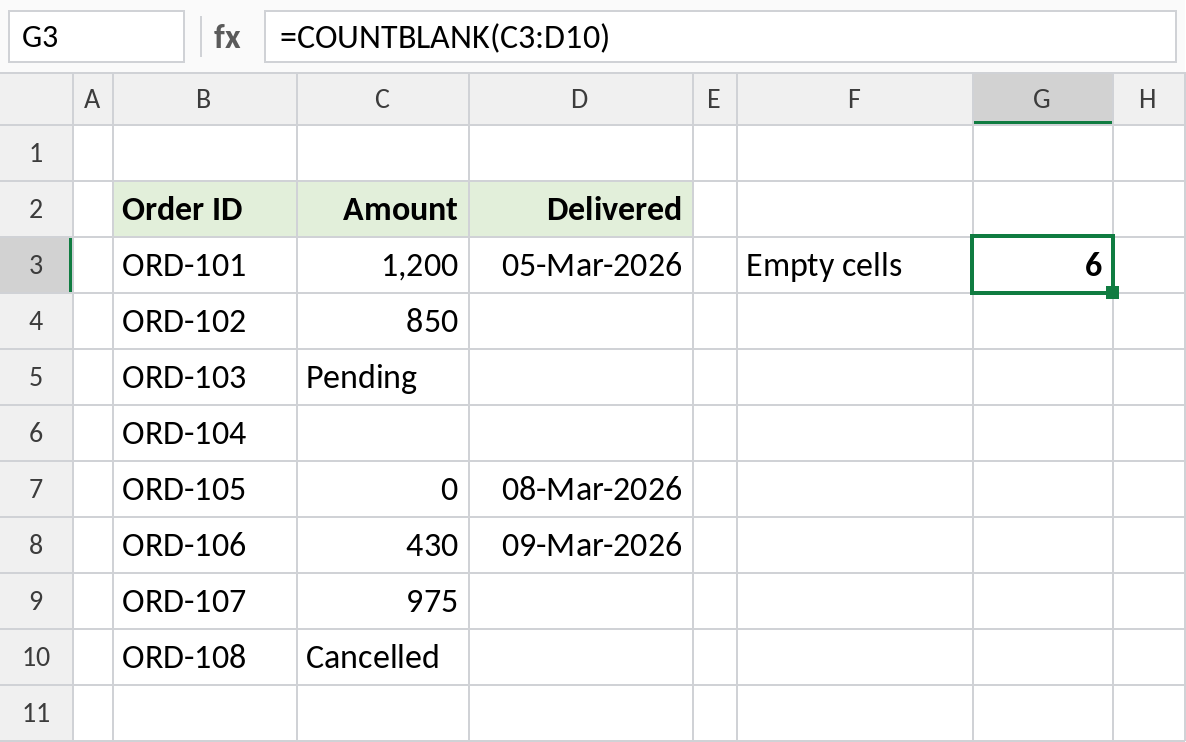
There’s 1 empty Amount and 5 empty Delivered cells, so the result is 6. It’s a quick way to check how complete a data set is.
Formulas that return empty text
Column E has a formula in every row. It shows a follow-up date only when the order is delivered, and "" otherwise:
=COUNTBLANK(E3:E10)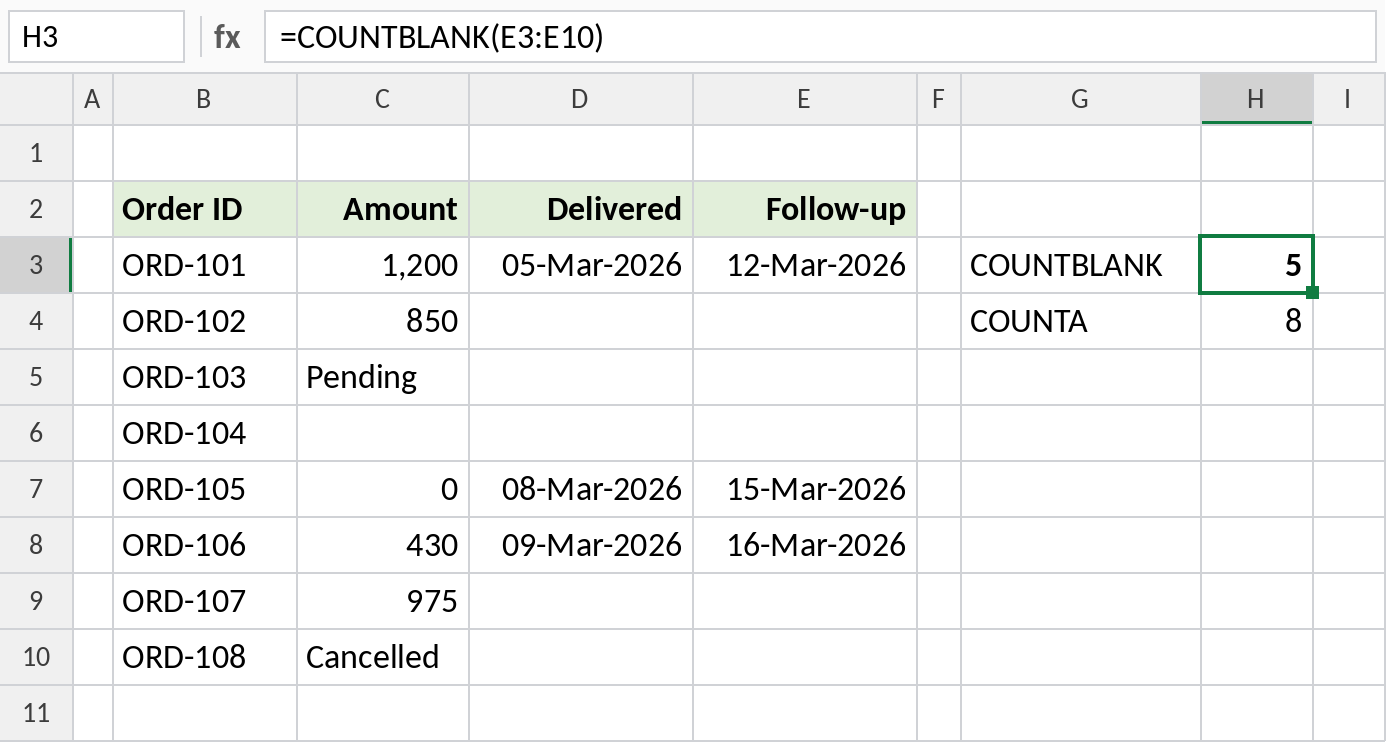
COUNTBLANK treats the "" results as empty and returns 5. COUNTA counts all 8 cells, because each one contains a formula.
How each function sees a cell
| Cell contains | COUNTBLANK | COUNTA |
|---|---|---|
| Nothing | Counted | Not counted |
Formula returning "" |
Counted | Counted |
| A space typed by mistake | Not counted | Counted |
| 0 | Not counted | Counted |
| Text or a date | Not counted | Counted |
Notes
- COUNTBLANK counts truly empty cells and cells showing
""from a formula. - A cell with a space looks empty but isn’t, so COUNTBLANK skips it. Use TRIM to clean the data.
- Zero is not blank. To count zeros as well, use
COUNTIF(range,0)too. - COUNTBLANK takes a single range. To check several separate ranges, add the results together.
Common errors
| Problem | Cause | Fix |
|---|---|---|
| Count lower than expected | Cells contain spaces | Clear the cells, or check with =LEN(D3) |
| Count includes formula cells | Formulas return "" |
That’s by design. For truly empty cells only, use =ROWS(E3:E10)-COUNTA(E3:E10) |
#VALUE! |
More than one range given, such as COUNTBLANK(C3:C10,D3:D10) |
Use one range, or add two COUNTBLANKs |
Practice file
All three examples with working formulas.