To plot thousands of survey points (easting, northing and level) in AutoCAD, build a POINT x,y,z command for each row with one Excel formula, then paste the column into AutoCAD’s command line or save it as a script.
Video
The data
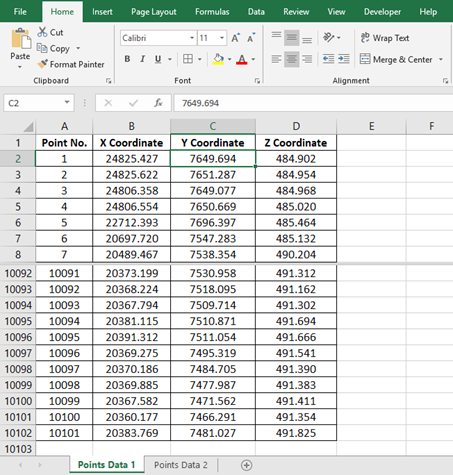
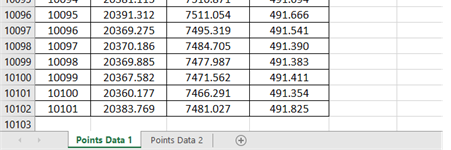
Survey coordinates in Excel: X (easting) in column B, Y (northing) in C, and Z (reduced level) in D, for more than 10,000 points.
How AutoCAD creates a point
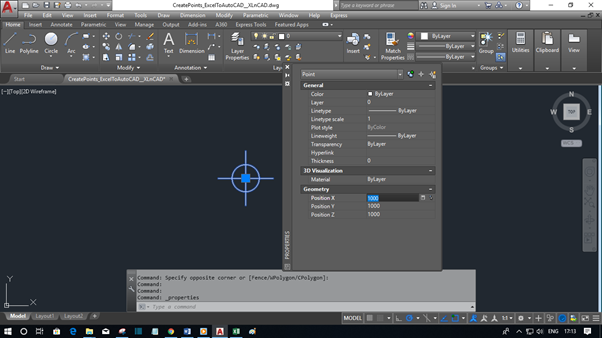
Type POINT in the command line, press Enter, and type the coordinates as X,Y,Z:


AutoCAD places a point at X 1000, Y 1000 with an elevation of 1000. The Properties palette confirms it.
So each point is one line of text: POINT X,Y,Z. Excel can write that line for every row.
Step 1: Build the commands in Excel
In E2, join the command and the three coordinates, and copy it down:
="POINT "&B2&","&C2&","&D2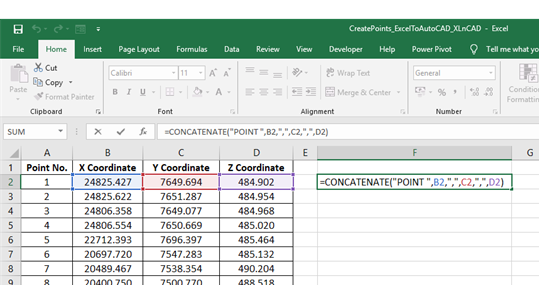
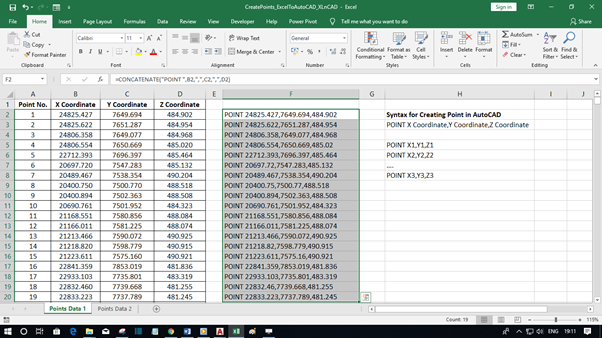
The space after POINT acts as Enter in AutoCAD. You can use the alias PO instead: ="PO "&B2&","&C2&","&D2.
Step 2: Run them in AutoCAD
Option A: paste into the command line
Copy column E, click in AutoCAD’s command line and press Ctrl + V.
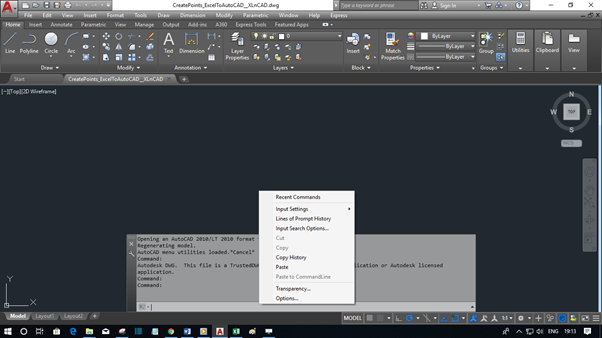
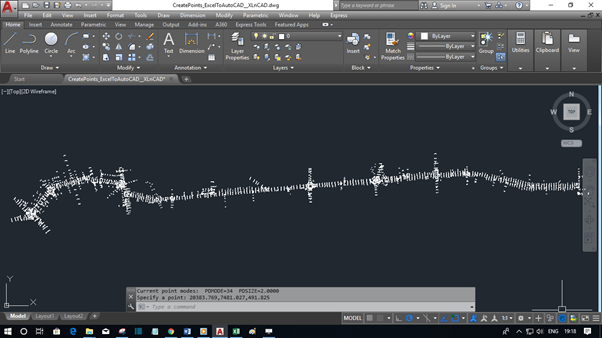
Option B: script file (better for large data)
Paste the column into Notepad, save it as points.scr (choose All files), and run it in AutoCAD with SCRIPT. Scripts are faster and don’t depend on the clipboard. See Scripting in AutoCAD.
Step 3: Check the result
Points are tiny dots by default. Type PTYPE (or set PDMODE to 3) to show them as crosses, then select all with Ctrl + A and check the count in Properties: here, 10,101 points.
Avoid these problems
| Problem | Fix |
|---|---|
| Points snap to the wrong place | Turn off Object Snap (F3) before running a script, or set OSNAPCOORD to 1 |
| Coordinates show commas as decimals | Your Windows region uses a comma decimal separator. Change it to a dot, or AutoCAD reads 77192,044 as two numbers |
| Points in the wrong place | Make sure you’re in the World UCS (UCS → W) |
| Too many decimals | Wrap values in TEXT: TEXT(B2,"0.000") |
Also useful
- Place labels at the same points: import text from Excel to AutoCAD.
- Copy a block or object to many points: copy AutoCAD objects to multiple points.
- Go the other way, AutoCAD to Excel: extract coordinates of AutoCAD points.